
AI Recipe Generator: TasteBot
Tastebot, LLCFood & Drink
4.435.00 Reviews
- Version
- 1.3.1
- Installs
- 10.00K
- Age Rating
- Everyone
Screenshots
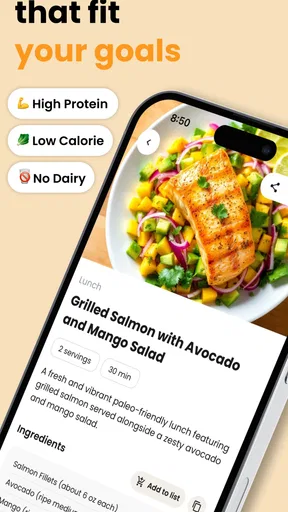

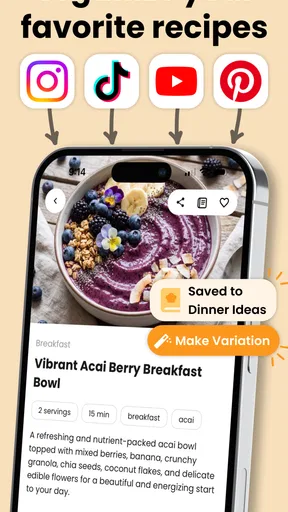
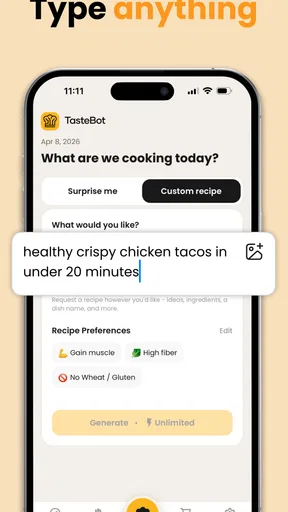
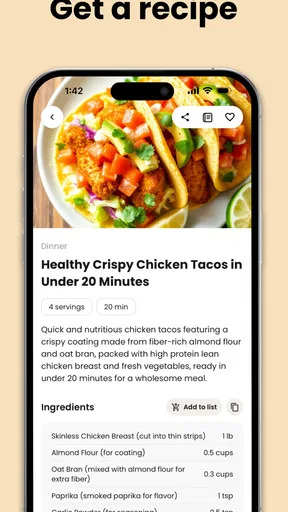
Our Review of AI Recipe Generator: TasteBot
 Analysis by Appyee
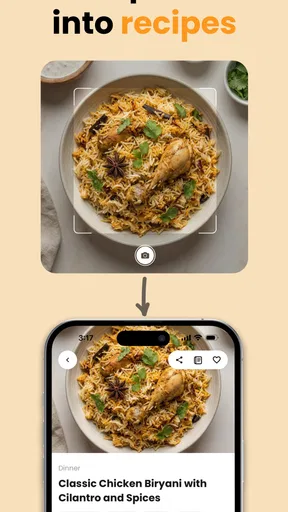
I approached TasteBot as a practical kitchen companion rather than a replacement for a cookbook. Its purpose is straightforward: help turn ingredients you already have into healthy meal ideas, with an AI chef offering suggestions and kitchen tips along the way. That makes it especially appealing on the evenings when I am staring at a half-used vegetable, a can in the cupboard, and no clear plan for dinner.
The app comes from Tastebot, LLC and sits in the Food & Drink category. It is free to install, rated for Everyone, and has reached over ten thousand installs. Its average rating is 4.4 from more than three hundred ratings, which suggests that many users find the central idea useful, while still leaving room for the experience to depend heavily on how clearly ingredients and preferences are entered.
Getting from a messy kitchen to a workable dinner
The strongest part of this kind of app is not simply producing a recipe. The real benefit is reducing the small decisions that usually stop me from cooking: which ingredients belong together, what should be used first, and whether a meal can be made without another trip to the shop. TasteBot is most valuable when I treat it as a starting point for planning rather than as an authority that must be followed word for word.
A realistic use case is a weekday evening with cooked rice, a few vegetables, eggs, and a sauce that needs using. Instead of searching several recipe sites and opening pages filled with ingredients I do not own, I can give the app the useful items and review the dinner direction it suggests. That changes the task from “find a recipe” to “decide whether this idea fits what I have.” The difference is small, but it saves time and reduces food waste.
I also found the ingredient-first approach more helpful for flexible cooking than for special occasions. If I need a precise birthday dessert, a traditional dish, or a recipe with carefully tested ratios, a dedicated cookbook remains the safer choice. TasteBot is better at answering, “What could I make tonight?” than, “What is the definitive method for this dish?”
Where people can get stuck before the first useful suggestion
The first point of friction is usually not the cooking advice itself. It is the quality of the information entered. An AI recipe generator cannot make a missing ingredient appear, and it may interpret a vague entry differently from the way I use it in my kitchen. “Beans,” “chicken,” or “greens” can describe several possibilities, and the resulting idea may be less practical than expected if the description is too broad.
I get better results by naming ingredients in ordinary but specific terms. Instead of listing only “tomatoes,” I would distinguish fresh tomatoes from canned ones when that matters. I would also mention ingredients that need using soon, as well as items I do not want included. This creates a more useful boundary for the suggestion and makes it easier to judge whether the recipe is realistic.
There is another subtle issue: a generated recipe may sound coherent while still requiring common-sense editing. I check whether the cooking order makes sense, whether the stated ingredients are actually available, and whether the suggested meal suits the time I have. AI-generated guidance can be creative, but creativity is not the same as kitchen testing. Use the recipe as a draft, then apply your own judgment before turning on the stove.
That matters even more for allergies, medical diets, or strict nutritional targets. The app’s healthy-meal focus can help inspire lighter choices, but I would not rely on a generated suggestion as a medical recommendation. For a serious dietary restriction, I verify every ingredient and substitute against advice I already trust.
Setup checks that prevent avoidable frustration
Before blaming the app for an unhelpful result, I would start with a simple preparation check. Confirm that the device meets the stated minimum of Android 7.0 or a newer version, then make sure the app is running its current version, 1.3.1. These are basic steps, but older operating systems and outdated app builds can create problems that look like recipe-generation failures.
I also recommend beginning with a short, clean ingredient list instead of entering an entire pantry in one go. A focused list makes the response easier to assess and reveals whether the issue is the wording or the app. For example, starting with a few ingredients for one meal is more informative than entering every spice, condiment, and frozen item at once. Once the output feels sensible, I can expand the list for more ambitious leftovers cooking.
It helps to decide what the request is meant to solve. If my priority is speed, I look for a simple dinner direction. If my priority is using leftovers, I identify those leftovers clearly. If my priority is healthier eating, I review the preparation method and portions rather than assuming the label alone makes the result suitable. A precise goal gives the generated answer something useful to work with.
The app is free to download, but in-app purchases range from $1.99 to $149.99 per item. That is important when deciding how deeply to invest in the experience. I would use the free version long enough to understand whether its suggestions fit my cooking style before considering any purchase. A paid option only makes sense if it solves a problem I actually have, such as needing a more convenient workflow, rather than because the idea of an AI chef sounds appealing.
A recovery workflow when the recipe does not fit
When a result is awkward, my first response is not to discard the whole app. I simplify the request and try again. I remove ingredients that are merely optional, separate staples from the items I want to use, and state the main constraint in plain language. This is more effective than repeating the same broad prompt and hoping for a different result.
A useful recovery pattern is to work in stages. First, ask for a meal direction based on the ingredients that must be used. Next, inspect whether the idea matches the available equipment and time. Then adjust the ingredient list or the cooking approach. This staged process turns the app into a planning partner and prevents me from treating the first generated response as final.
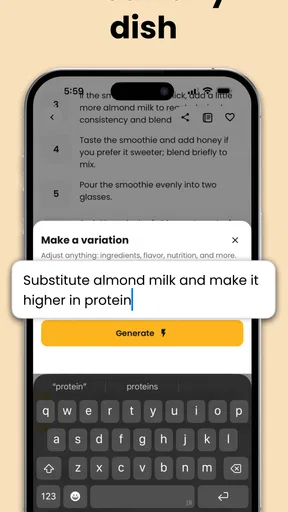
I also keep a mental distinction between substitutions and omissions. Replacing one vegetable with another may be easy, while removing a key liquid, thickener, or cooking fat can change the entire result. If the app suggests something that depends on an ingredient I do not have, I ask myself whether it is structural or optional before improvising. That small check prevents many disappointing dinners.
The kitchen tips are most useful when I read them as reminders rather than guarantees. A tip may point me toward a sensible technique, but the pan, ingredient size, heat level, and amount being cooked still matter. I watch the food, taste when appropriate, and adjust. This is one of the app’s practical trade-offs: it can reduce planning effort, but it does not remove the need to cook attentively.
If the output is repetitive, I change the goal instead of only changing the ingredients. Asking for a quick meal, a leftover-focused meal, or a lighter preparation creates a different decision frame. That is a more productive use of an AI recipe tool than endlessly requesting “another recipe” without explaining what should change.
When the app is not the cause of the problem
Not every disappointing experience comes from TasteBot. Sometimes the real issue is an unrealistic ingredient combination, an unclear request, or a kitchen limitation that was never considered. A recipe can be perfectly reasonable in principle and still be wrong for someone who has no oven, little time, or only one pan available. I therefore judge the suggestion against my actual situation, not just the wording on the screen.
Connectivity can also affect any feature that depends on processing a request. If a response takes longer than expected or fails to appear, I would first check the device connection, retry with a smaller request, and reopen the app if necessary. Those are safe general troubleshooting steps that do not assume a particular hidden cause. If other apps are also struggling, the problem is more likely broader than this recipe tool.
Ingredient interpretation is another common source of confusion. Household names differ, and a short entry may not communicate whether an ingredient is cooked, raw, fresh, frozen, sliced, or canned. When a suggestion feels strange, I look at the wording I used before deciding that the generator failed. Adding that missing context often gives the next attempt a better chance.
I would also avoid judging the app by a single ambitious experiment. A recipe built around a crowded list of leftovers is inherently harder to make coherent than a request centered on a few compatible ingredients. TasteBot works best when I give it a manageable problem. It is an idea generator, not a system for rescuing every random combination in the refrigerator.
How it compares with familiar recipe alternatives
Traditional recipe websites are usually stronger when I already know the dish I want. They offer established instructions, photographs, user adjustments, and a broad archive that is easier to browse by cuisine or meal type. Their weakness is that they often make me adapt my pantry to the recipe. TasteBot reverses that relationship by starting with what I already own.
Cookbooks are better for learning dependable techniques and building a personal collection of recipes I have cooked successfully. They are also easier to trust for repeatable results because the recipes have a fixed form. TasteBot is more flexible, but that flexibility means I need to review and edit the result. I would use both: a cookbook for skill-building and the app for those unplanned ingredient puzzles.
Manual meal planning in a notes app gives me complete control and avoids generated suggestions that may not suit my preferences. However, it requires more effort and imagination. TasteBot earns its place when I am short on either. The trade-off is that convenience comes with a review step; I still need to check the idea, adapt it, and decide whether it is genuinely appetizing.
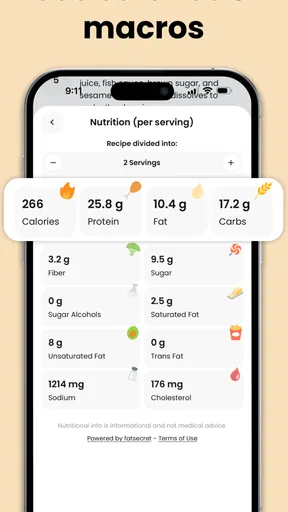
For someone who wants strict calorie accounting, medically controlled nutrition, or exact macro targets, a specialized nutrition tracker is likely a better match. For someone who wants inspiration from available ingredients and kitchen-oriented guidance, TasteBot has a clearer advantage. The right choice depends less on whether AI is exciting and more on whether flexible dinner planning is the problem I need solved.
Who will benefit most, and who should skip it
I would recommend it to busy home cooks, beginners who run out of dinner ideas, people trying to use leftovers, and anyone who wants to shop less impulsively. It can also help a household brainstorm around a limited pantry, especially when the person cooking is willing to make substitutions and evaluate the result.
I would be more cautious recommending it to users who expect professionally tested recipes every time. It is not the best fit for someone who dislikes improvisation, needs guaranteed dietary compliance, or wants a large searchable archive organized around a particular cuisine. Those users may feel more comfortable with a conventional recipe service or a specialist nutrition app.
Families should also remember that an Everyone rating describes the app’s age suitability, not the suitability of every generated meal for every person. I would still check ingredients for children, allergies, intolerances, and personal preferences. The app can help with ideas, but the final responsibility for what goes on the table remains with the cook.
My practical verdict after using it as a planning tool
TasteBot succeeds when I ask it to remove the blank-page problem from dinner planning. Its ingredient-led approach feels more useful than scrolling through unrelated recipes, and the kitchen tips add a little practical direction to the ideas. The best results come from specific inputs, modest expectations, and a willingness to edit what the AI suggests.
Its limitations are equally clear. Generated recipes need supervision, vague ingredient lists can produce vague results, and the app is not a substitute for medical nutrition advice or a carefully tested cookbook. The possible in-app spending also gives me a reason to establish value before paying for anything. I would not install it expecting a complete cooking education; I would install it expecting a faster route from spare ingredients to a plausible meal.
The current version, 1.3.1, is available as a free app for Android users meeting the minimum operating-system requirement. With an average rating of 4.4 and a growing base of over ten thousand installs, it has enough traction to be worth trying for the right audience, while its relatively focused purpose makes the decision simple. If your recurring problem is “I have food, but no dinner idea,” this is a sensible app to test.
My final advice is to begin with one realistic meal, name the ingredients carefully, and treat the response as a flexible plan rather than an instruction carved in stone. That approach plays to TasteBot’s strengths, exposes its weaknesses quickly, and lets me decide whether its convenience is worth keeping in my everyday kitchen routine.
Verdict
Strengths of AI Recipe Generator: TasteBot
- Creates recipe ideas quickly from ingredients you already have.
- Useful for experimenting with cuisines, flavors, and meal combinations.
- Helps reduce food waste by suggesting ways to use leftover ingredients.
- Recipe suggestions can inspire users with limited cooking experience.
- Convenient for planning meals without searching through multiple websites.
Limitations of AI Recipe Generator: TasteBot
- AI suggestions may include unusual or poorly balanced ingredient combinations.
- Some recipes may lack precise measurements or detailed cooking guidance.
- Results depend heavily on how clearly ingredients are entered.
- Dietary and allergy information should be checked rather than trusted blindly.
- Advanced recipe features may require in-app purchases or subscriptions.
Similar Picks in This Category
View All
Rappi: Food Delivery, Grocery
Rappi, Inc - Delivery3.5

McDonald’s: Cupons e Delivery
Arcos Dorados4.3

Swiggy: Food Instamart Dineout
Swiggy4.7

Blinkit: Groceries & more
Blinkit4.8

foodpanda: food & groceries
Foodpanda GmbH a subsidiary of Delivery Hero SE4.0

Zomato: Food Delivery & Dining
Zomato4.7
Frequently Asked Questions
What is AI Recipe Generator: TasteBot, and how does it work?
AI Recipe Generator: TasteBot is designed to create personalized recipe ideas with the help of artificial intelligence. You can typically enter ingredients you already have, choose a cuisine or meal type, and adjust preferences such as dietary restrictions. The app then suggests a recipe with ingredients, preparation steps, and cooking guidance. Results may vary, so review the instructions carefully before cooking.
Can TasteBot create recipes for specific diets, allergies, or ingredients?
TasteBot can be useful for people following particular eating styles, such as vegetarian, vegan, low-carbohydrate, or high-protein diets, depending on the options available in the current version. You may also be able to exclude ingredients or request meals based on what is in your kitchen. However, AI-generated information should not replace careful label checking, especially when managing serious allergies or medical dietary requirements.
Does AI Recipe Generator: TasteBot require an internet connection?
Most AI recipe generators need an active internet connection because recipe requests are processed through online services. Without a connection, you may not be able to generate new recipes or receive updated results. Previously viewed recipes might remain accessible if the app saves them locally, but this depends on the version and device. Check the app’s behavior before relying on it while traveling or cooking offline.
Is AI Recipe Generator: TasteBot free to download and use?
The app may be available to download at no initial cost, but some features can be restricted by advertisements, usage limits, subscriptions, or in-app purchases. Premium access may unlock more recipe generations, advanced dietary filters, meal planning, or an ad-free experience. Before confirming a purchase, review the pricing, billing frequency, trial terms, and cancellation instructions shown in the relevant app store.
Are the recipes generated by TasteBot accurate and safe to follow?
TasteBot can provide convenient ideas, but its recipes should be treated as suggestions rather than professionally verified cooking or nutritional advice. AI may occasionally recommend unsuitable ingredient substitutions, unclear measurements, incorrect cooking times, or combinations that do not work well. Check allergen information, confirm that meat and eggs reach safe temperatures, and use your own judgment when adapting any generated recipe.
